
EZdiag6.4.7 - App Store
You'll be able to see results in few seconds.
Publisher Description


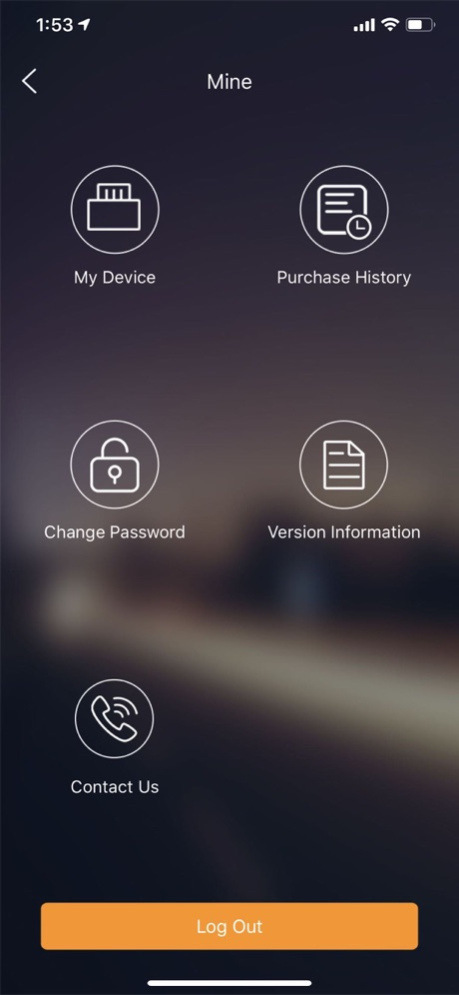

EZdiag is a smart phone based OBDII diagnostic tool designed with the professional technician in mind. The device is small and portable, yet powerful enough to rival its competitors. Users have the option to purchase manufacturer specific carline software based on their needs. This feature allows for full-system diagnostics including bi-directional capabilities, quickly and easily from the convenience of your smart phone.
Version History 1. Fix bugs 6.4.7 05/16/2019 1.Fix Bluetooth Connection bug 6.4.6 05/13/2019 1. Fix software upgrade bug 6.4.5 11/01/2018 1. Fully adapt the iPhoneX
2. Diagnostic function main app provides new and old apk entrance
3. Support new diagnostic app software upgrade function
4. Software renewal upgrade opens
5. Connector switching increases latitude and longitude parameters
6. "Contact Us" icon size adjustment
7. Fix MDiag can't see the full-featured menu bug, MDiag connector develops full-featured diagnostics 6.4.4 09/06/2018 1. Some EZCheck connectors add trip statistics
2. Fix some bugs 6.4.3 07/06/2018 1. Add package purchase function
2. Fix some bugs 6.4.2 06/01/2018 1.Support activation of Easydiag3
2.Modify privacy agreement and user license
3.Fix some bugs 6.4.1 05/24/2018 1. Add a driving module;
2. Add a TOKEN account
3. Add a new recommended TOKEN to the car owner;
4. The diagnostic report adds maintenance report;
5. Increase the number of yuan TOKEN wallet binding automatically copy content;
6. Different box serial numbers have different explicit functions;
7. Fix some bugs 6.4.0 05/04/2018 1. The report is automatically displayed after the diagnosis is completed
2. Home Add report entry
3. Click the fault code in the report, you can get the fault code help information
4. Fix the Russian language garbled problem
5. Fix the reporting language and time zone issues
6. UI interface subtle adjustments
7. Fix some bugs 6.3.6 12/12/2017 1. Fix the problem of incorrect calculation of data values in the EZCheck IM function module
2. Fix the problem After multiple accounts login, register a new user, log out after login user name is lost
3. Fix the problem that the IM function module fails to show when the app is first opened
4. Allow users to activate multiple different types of diagnostic boxes 6.3.5 12/04/2017 1. Support EZcheck Adapter
2.Fix some bugs
3.Optimize the code 6.3.4 11/27/2017 1. Added mall
2. Optimize the code 6.3.3 10/28/2017 1. Partial serial number Add a new package purchase function
2. Optimize the activation process
3. Fixed a bug that prompted to log in somewhere else
4. Fixed some crashes
5. Interface loading optimization
6. Optimize the code 6.3.2 08/07/2017 1. Fix some bugs
2. Program optimization 6.3.1 07/06/2017 1. Added diagnostic report sharing
2. "Mine" add new features: contact us
3. Fix the crash of some user applications at startup
4. Optimize some functions 6.3.0 06/25/2017 1. Support multiple serial numbers, you can set the default serial number
2. The software list is sorted alphabetically
3. The main interface to increase the multi-box entrance
4. Added IM support
5. Fixed some other problems 6.2.0 06/13/2017 1. Changed the app name to EZdiag
2. Changed the app icon
3. Added the version information function
4. Added multi-language: German, French, Russian, Portuguese, and Spanish
5. Modified the display style of diagnostic list and diagnostic software purchase list
6. Added a link for purchasing the device on the device activation interface
7. Fixed some bugs and optimized some codes 6.1.0 04/13/2017 -UI optimization;
-Function upgrades optimization;
-Bug fixs. 6.0.0 03/21/2017 fix bugs. 5.2.6 02/10/2017 1、App name changed from Easydiag+ to M-Diag
2、Optimized diagnostic software
3、Added 8 special functions software
4、Optimized App interface
5、Fixed problems 5.2.5 01/25/2017 1、fix bugs 5.2.4 12/12/2016 golo EasyDiag+ add Premium configuration, after activated box would get two optional vehicle diagnostic software as free. 5.2.3 07/11/2016 5.2.2 12/10/2015
About EZdiag
The company that develops EZdiag is Launch Tech Co., Ltd. The latest version released by its developer is 6.4.7.
To install EZdiag on your iOS device, just click the green Continue To App button above to start the installation process. The app is listed on our website since 2026-10-14 and was downloaded 0 times. We have already checked if the download link is safe, however for your own protection we recommend that you scan the downloaded app with your antivirus. Your antivirus may detect the EZdiag as malware if the download link is broken.
How to install EZdiag on your iOS device:
- Click on the Continue To App button on our website. This will redirect you to the App Store.
- Once the EZdiag is shown in the iTunes listing of your iOS device, you can start its download and installation. Tap on the GET button to the right of the app to start downloading it.
- If you are not logged-in the iOS appstore app, you'll be prompted for your your Apple ID and/or password.
- After EZdiag is downloaded, you'll see an INSTALL button to the right. Tap on it to start the actual installation of the iOS app.
- Once installation is finished you can tap on the OPEN button to start it. Its icon will also be added to your device home screen.
Program Details
System requirements
Download information
Pricing
Version History
version 6.4.7
posted on 2026-10-14
Version History 1. Fix bugs 6.4.7 05/16/2019 1.Fix Bluetooth Connection bug 6.4.6 05/13/2019 1. Fix software upgrade bug 6.4.5 11/01/2018 1. Fully adapt the iPhoneX
2. Diagnostic function main app provides new and old apk entrance
3. Support new diagnostic app software upgrade function
4. Software renewal upgrade opens
5. Connector switching increases latitude and longitude parameters
6. "Contact Us" icon size adjustment
7. Fix MDiag can't see the full-featured menu bug, MDiag connector develops full-featured diagnostics 6.4.4 09/06/2018 1. Some EZCheck connectors add trip statistics
2. Fix some bugs 6.4.3 07/06/2018 1. Add package purchase function
2. Fix some bugs 6.4.2 06/01/2018 1.Support activation of Easydiag3
2.Modify privacy agreement and user license
3.Fix some bugs 6.4.1 05/24/2018 1. Add a driving module;
2. Add a TOKEN account
3. Add a new recommended TOKEN to the car owner;
4. The diagnostic report adds maintenance report;
5. Increase the number of yuan TOKEN wallet binding automatically copy content;
6. Different box serial numbers have different explicit functions;
7. Fix some bugs 6.4.0 05/04/2018 1. The report is automatically displayed after the diagnosis is completed
2. Home Add report entry
3. Click the fault code in the report, you can get the fault code help information
4. Fix the Russian language garbled problem
5. Fix the reporting language and time zone issues
6. UI interface subtle adjustments
7. Fix some bugs 6.3.6 12/12/2017 1. Fix the problem of incorrect calculation of data values in the EZCheck IM function module
2. Fix the problem After multiple accounts login, register a new user, log out after login user name is lost
3. Fix the problem that the IM function module fails to show when the app is first opened
4. Allow users to activate multiple different types of diagnostic boxes 6.3.5 12/04/2017 1. Support EZcheck Adapter
2.Fix some bugs
3.Optimize the code 6.3.4 11/27/2017 1. Added mall
2. Optimize the code 6.3.3 10/28/2017 1. Partial serial number Add a new package purchase function
2. Optimize the activation process
3. Fixed a bug that prompted to log in somewhere else
4. Fixed some crashes
5. Interface loading optimization
6. Optimize the code 6.3.2 08/07/2017 1. Fix some bugs
2. Program optimization 6.3.1 07/06/2017 1. Added diagnostic report sharing
2. "Mine" add new features: contact us
3. Fix the crash of some user applications at startup
4. Optimize some functions 6.3.0 06/25/2017 1. Support multiple serial numbers, you can set the default serial number
2. The software list is sorted alphabetically
3. The main interface to increase the multi-box entrance
4. Added IM support
5. Fixed some other problems 6.2.0 06/13/2017 1. Changed the app name to EZdiag
2. Changed the app icon
3. Added the version information function
4. Added multi-language: German, French, Russian, Portuguese, and Spanish
5. Modified the display style of diagnostic list and diagnostic software purchase list
6. Added a link for purchasing the device on the device activation interface
7. Fixed some bugs and optimized some codes 6.1.0 04/13/2017 -UI optimization;
-Function upgrades optimization;
-Bug fixs. 6.0.0 03/21/2017 fix bugs. 5.2.6 02/10/2017 1、App name changed from Easydiag+ to M-Diag
2、Optimized diagnostic software
3、Added 8 special functions software
4、Optimized App interface
5、Fixed problems 5.2.5 01/25/2017 1、fix bugs 5.2.4 12/12/2016 golo EasyDiag+ add Premium configuration, after activated box would get two optional vehicle diagnostic software as free. 5.2.3 07/11/2016 5.2.2 12/10/2015
version 6.4.7
posted on 2019-05-16
May 16, 2019 Version 6.4.7
1. Fix bugs
version 6.4.7
posted on 2019-05-16
1. Fix bugs
Disclaimer
Official App Store Link
We do not host EZdiag on our servers. We did not scan it for viruses, adware, spyware or other type of malware. This app is hosted by Apple and passed their terms and conditions to be listed there. We recommend caution when installing it.
The App Store link for EZdiag is provided to you by apps112.com without any warranties, representations or guarantees of any kind, so access it at your own risk.
If you have questions regarding this particular app contact the publisher directly. For questions about the functionalities of apps112.com contact us.
